30 day nixos experiment
I switched to nixos for 30 days. was declarative configurations worth the experience at hand?
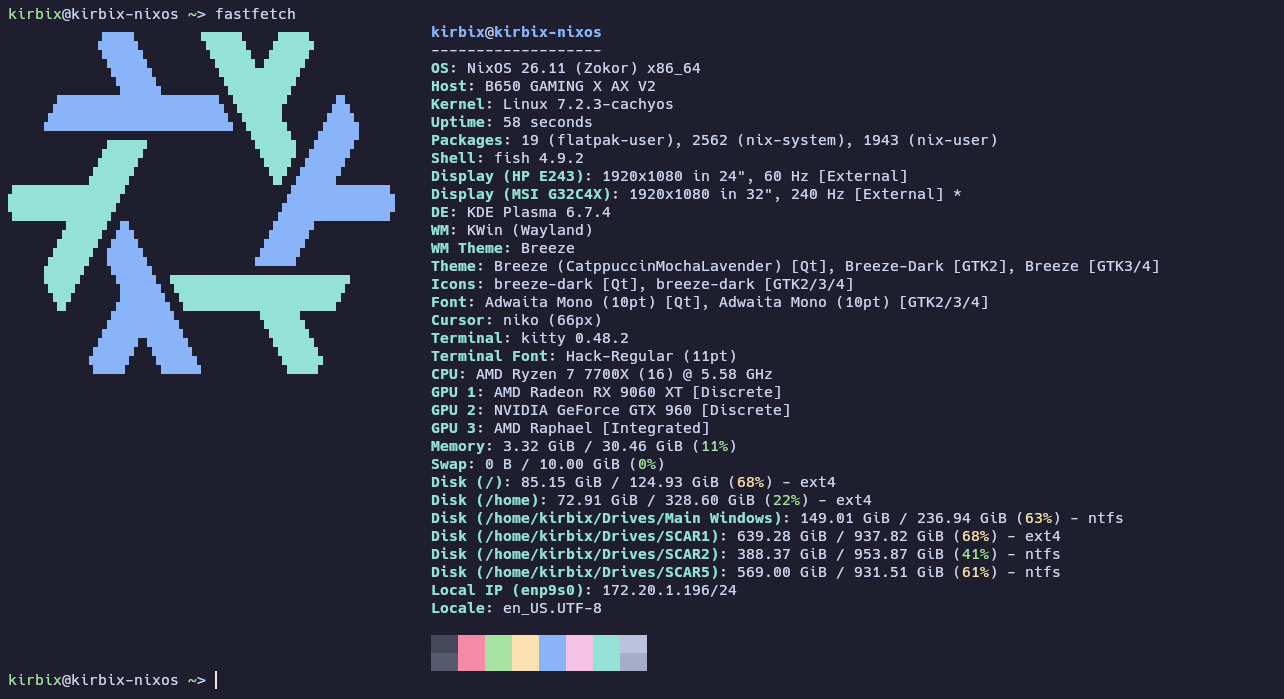
this is probably the longest and yappiest blog post I’ve ever done.
my jouney on linux started back in 2024 when I switched over from windows to linux full time. I initally started off from ubuntu, then fedora, and then I made the final jump to arch. (it’s actually endeavouros. yes I cheated, yell at me all you want)
but was it really the “final jump” exactly?
no it turns out it wasn’t.
after a year and a half of using arch, I looked into a new challenge. some new distro that isn’t ubuntu, fedora, or arch.
initially I looked into void linux, but it turns out I wasn’t ready for that yet.
then I saw nixos, a linux distro that uniquely use a declaritive configuration to set up your system on how you wanted it to be, instead of using a series of commands to install packages and manually configurating the system.
preface: how nixos works
the os uses nix as the underlying manager for packages. nix pulls all the binaries and necessary shared libraries for that application. the best part is that the package and its dependencies is seperated from everything else, so you don’t have to worry about dependency conflicts with another application. plus, they guarantee reproducable packages, basically guaranteeing your system is idenential down to the bit with another computer.
in nixos specifically, I have a lot of control of how the configuration should be applied. I can apply it right away, I can test the config, or I could have it applied next boot. the best part is it’s all immutable and atomic, so that means nothing can break basically break. if something breaks, oh well just roll the system back to the last config and fix what went wrong.
and we have flakes
this is where things get a little complicated. I don’t know how to exactly define out “flakes” since a simple definition isn’t available, but from how I interpret it, it’s basically special inputs and outputs for nix. it just pin specific stuff to specific commits.
the goods
I like the declarative format
this is basically a no nonsense way of trying to set up your system. you build a configuration file over time and if you just so happen to need to reinstall nixos, you don’t have to manually retype the commands over and over again to get back your packages. just copy your configuration and flakes, put it in the new install, switch to the new config, and boom. you have your packages and system config running exactly how it was in just 1-2 minutes. (plus the additional time it takes to pull and compile the packages)
want to copy a config from another person? same going and you have the exact same configuration as the other person. (just be sure to adjust some of the configuration so it’s relevant to your computer, not theirs. otherwise you’re gonna face some issues when you switch it over)
the way on how the system cannot be broken
the rollbacks and immutable system format is very useful just in case something breaks. you still have a working system as a backup if you decide to do something wrong. compare that to arch where if you break something, you can’t just simply go back. you have to figure out what happened and what you need to do to fix it without wiping out your entire system.
also, when editing your config, the system will check your config before applying updates. if something is wrong, the system will complain about it and stop before it does any damage. it’s basically atomic by itself. all updates committed has to be sucessfully applied 100% otherwise it automatically assumes it can’t update and nothing gets applied. compare to arch, it has some risk of something going wrong in any worse case scenario, which may lead to an unbootable/unrecoverable system.
I don’t have to worry with dependency crashes too much
not too often that you run into crashes from packages because dependencies crash into each other or the dependecies are outdated. only sometimes or often depending on if you’re running old versions of packages. the seperation of shared libraries is a plus. I like that.
nix is actually good for development?
turns out, you can basically use flakes for anything other than the system itself. if you are creating apps, you have to pull dependecies manually and you have to know what to pull and if they are available. by listing out the exact dependecies in a flake file, you are basically guaranteed to have the exact dependecies you need on hand. the best part is all those dependecies are only available for that folder. yep. it basically spins up a mini environment to code and build your programs with.
the bads
there is a couple of downsides that I encounted when switching over.
no appimages and native binaries. (without using a container or runtime)
because nixos includes ZERO shared libraries directly installed on the system by default and these rely on hardcoded paths to said shared libs, they cannot run. I have only a small amount of programs (particuarly running the x-plane demos) that requires to rely on system shared libs, so I guess this isn’t really much of a big deal. really, the only solution is to literally just spin up a distrobox container or use heroic with steam runtime. I have no problem running appimages and native binaries from there.
being a flake based system, there’s an additional step before updating your packages
usually there’s one command to update all your packages to the latest version. but if you’re using flakes, that ain’t happening bud. instead of running sudo nixos-rebuild switch --update, you gotta first update your flakes with sudo nix flake update, followed by sudo nixos-rebuild switch --flake [path to flake]. kind of annoying really, but that’s what happens when you basically pin packages and its dependencies to a specific commit. this effectively won’t let me update all of my OTHER packages without updating the flake first.
updates are not fast
(plus the additional time it takes to pull and compile the packages)
yeah I was not kidding when I said this statement. this isn’t your typical distro where they provide pre-compiled binaries of packages. some of them (or probably most of them) are pulled directly from the source and had to be compiled on spot during updates and installs. this basically increases downtime a by lot. not only that, but you’re basically raising your electricity bill compiling all that crap in one go. compare that to arch, it just pulls pre-compiled binaries and it puts where it needs to be in just a few minutes. simple.
updating your system is prone to massive storage real estate being stolen
to understand the context, here is all of my installed packages on my system as of writing this post (excluding any commented packages):
1
2
3
4
5
6
7
8
9
10
11
12
13
14
15
16
17
18
19
20
21
22
23
24
25
26
27
28
29
30
31
32
33
34
35
36
37
38
39
40
41
42
43
44
45
46
47
48
49
50
51
52
53
54
55
56
57
58
59
60
61
62
63
64
65
66
67
68
69
70
71
72
73
74
75
76
77
78
79
80
81
82
83
84
85
86
87
88
89
90
91
92
93
94
95
96
97
98
99
100
101
102
103
104
{
...
  {
    ...

    packages = with pkgs; [
      kdePackages.kate
      kdePackages.kcalc
#      kdePackages.partitionmanager
#      kdePackages.kcolorchooser
      mpv
      vlc
#      (discord.override { withEquicord = true; })
#      (librewolf-bin.override { nativeMessagingHosts = [ kdePackages.plasma-browser-integration ]; })
      google-chrome
#      steam
      inputs.millennium.packages."${pkgs.system}".millennium-steam
      kitty
      tor-browser
      vscodium
      lutris
      heroic
      keepassxc
      element-desktop
      vesktop
      equibop
      hyfetch
#      spotify
#      spotify-spotx
      mission-center
      nextcloud-client
      protonplus
      protontricks
#      equicord
#      distrobox
      mangojuice
      r2modman
      prismlauncher
#      obs-studio
      jellyfin-desktop
      inkscape
      krita
      audacity
      vpkedit
      inputs.zen-browser.packages.${pkgs.stdenv.hostPlatform.system}.default
    #  thunderbird
    ];
  };

...

  environment.systemPackages = with pkgs; [
    flatpak
    htop
    fastfetch
    fish
    hyfetch
    starship
    adwaita-fonts
    spotify-spotx
    unzip
    zip
    mangohud
    gamemode
    podman
    docker
#    unstable.equicord
    distrobox
    kdePackages.partitionmanager
    kdePackages.filelight
    spotify
    (discord.override { withVencord = true; withOpenASAR = false; })
    kdePackages.kcolorchooser
#    git
    vmware-workstation
    net-tools
    pciutils
    yt-dlp
    win2xcur
    gparted
#    proton-vpn
    wireguard-tools
    gnome-keyring
    unrar
    openrgb
    kdePackages.kio
    kdePackages.kio-extras
    wineWow64Packages.staging
    winetricks
    mesa-demos
    cargo
    ruby
    gcc
    gnumake
    (librewolf-bin.override { nativeMessagingHosts = [ kdePackages.plasma-browser-integration ]; })
#    sdl3
#    rustc
#    vscodium
  #  vim # Do not forget to add an editor to edit configuration.nix! The Nano editor is also installed by default.
    wget
  ];

...
}
and here are my flake inputs for the system associated to some of the installed packages:
1
2
3
4
5
6
7
8
9
10
11
12
13
14
15
16
17
18
19
20
21
22
23
24
25
{
    # loader for unstable
  inputs = {
#    nixpkgs.url = "github:NixOS/nixpkgs/nixos-26.05";
#    nixpkgs-unstable.url = "github:NixOS/nixpkgs/nixos-unstable";
    nixpkgs.url = "github:NixOS/nixpkgs/nixos-unstable";
    nixcord.url = "github:4evy/nixcord";
  };

  # rest of the inputs
  inputs = {
    spotx-nix = {
      url = "github:SpotX-Official/SpotX-Nix";
      inputs.nixpkgs.follows = "nixpkgs";
    };
    millennium.url = "github:SteamClientHomebrew/Millennium?dir=packages/nix";
    nix-cachyos-kernel.url = "github:xddxdd/nix-cachyos-kernel";
    zen-browser = {
      url = "github:youwen5/zen-browser-flake";
      inputs.nixpkgs.follows = "nixpkgs";
    };
  };

...
}
when I decide to update the flakes, followed by a system update using the flakes, nix can literally almost horde your root partition to close to max capacity. I use the seperate / and /home partition setup to ease carrying over local settings to another distro if I wanted to. it used to be that I had 60 GB on the root partition while on arch. it worked for that setup until I switched over to nixos. I realized that 60 GB is not enough during updates and had to expand to 128 GB during a reinstall. currently, nixos hordes around half of the parition space assuming there’s no other downloaded nix store packages. it instantly jumps to >80% filled after updating, which isn’t good. this is on top of the fact that nixos does not provide an indication of how much is going to be downloaded and how much net space is going to be allocated or deallocated until I begin downloading. they also never give a confirmation on the download.
while nix-collect-garbage -d does the job done, it has the consequence of wiping all previous generations (unless you define a [x]D in the -d parameter), which creates the problem of having no backup plan when something goes wrong. [panic noises erupts]
additionally, apparently the command doesn’t even wipe all of the previous generations. it keeps some generations (about 3-4 gens old on top of the current one) that remains bootable. the problem with that is because I wiped all of the previous packages, guess what: the system can’t cope with those missing packages and boots into emergency mode.
it’s a bit unstable
though I like to find myself in unstable channels where I get the latest and greatest software possible, unfortunately it seems as though that even as I’m using a custom kernel and have the cpufreq governor to the maximum power profile possible (without overclocking), I find nixos to have inconsistent performance on the desktop compared to the standard distros. from what I’ve experienced, sometimes after I booted up my computer and log in, it seems as though nixos would majorly stutter, which is very annoying because these major stutters wasn’t happening on arch. I don’t like when the desktop experience is inconnsistent and it seems like this is the case where I might reconsider. (update: turns out this doesn’t happen when I switch from sddm to plasma login manager. idk why it just fkin works)
speaking of stutters, stutters on games! very noticable, even though they were pretty minor. I usually don’t see this too often on arch tho. (I use mangohud. the frametimes speak for itself)
and this one caught me just recently. and it was annoying. on one of the updates, my keyboard got unexpectedly remapped with some buttons simutaneously doing different actions. the backspace key also triggers insert, enter triggers volume up, and shift triggers volume down. only three keys, but still annoying. it wasn’t until I did a second update of nixos that it… fixed?? I’m guessing it was some sort of buggy kernel driver that persisted onto the keyboard. it was so bad that it even it persisted into windows! wtf.
package overlays sometimes have weird behavior
I find that when trying to override/overlaying specific packages, they aren’t functioning the same as how it’s done on the traditional distros. one prime example is that I use a discord client mod called equicord. (which in turn is vencord, where the former is the fork thereof) a lot of the plugins work as usual… except for fakenitro. most of it works, but for whatever reason, it seems as though that I couldn’t send custom emojis, even though I checked the plugin was enabled AND fake emojis was on. I tested this on the arch build through distrobox and it worked as usual.
I proceeded to test this using regular vencord and… it worked! I honestly don’t know what went wrong, but maybe because something was outdated or did the mess something up? not really sure, but that sure is also annoying. disappointing considering equicord has several more plugins I rely on where vencord doesn’t out of the box, but ig that’s the way it should go ig.
the verdict?
nixos was fun and I like the model of the distro. but unfortunately, I’m going back to arch soon as of writing this post.
as much as I like the declarative format and everything, the experience I’ve talked about here doesn’t really align with how I want to use my computer. I want my operating system fast, performant, simple, and easy. and with arch increasingly becoming basically the centerpoint for linux gaming (thanks cachyos), there’s a butt-ton of resources to try to get the best out of your computer as much as possible. and plus, I’ve basically used arch for so long that I’ve gotten more used to the workflow of maintaining an arch install than a nixos install.
I wish I could use it long-term, but it just doesn’t fit for me. sorry not sorry. :(